
Documents›Live Menu
Add-on
Live Menu
Menu boards your staff keep up to date from an iPad. Mark a dish sold out and every screen shows it within seconds.
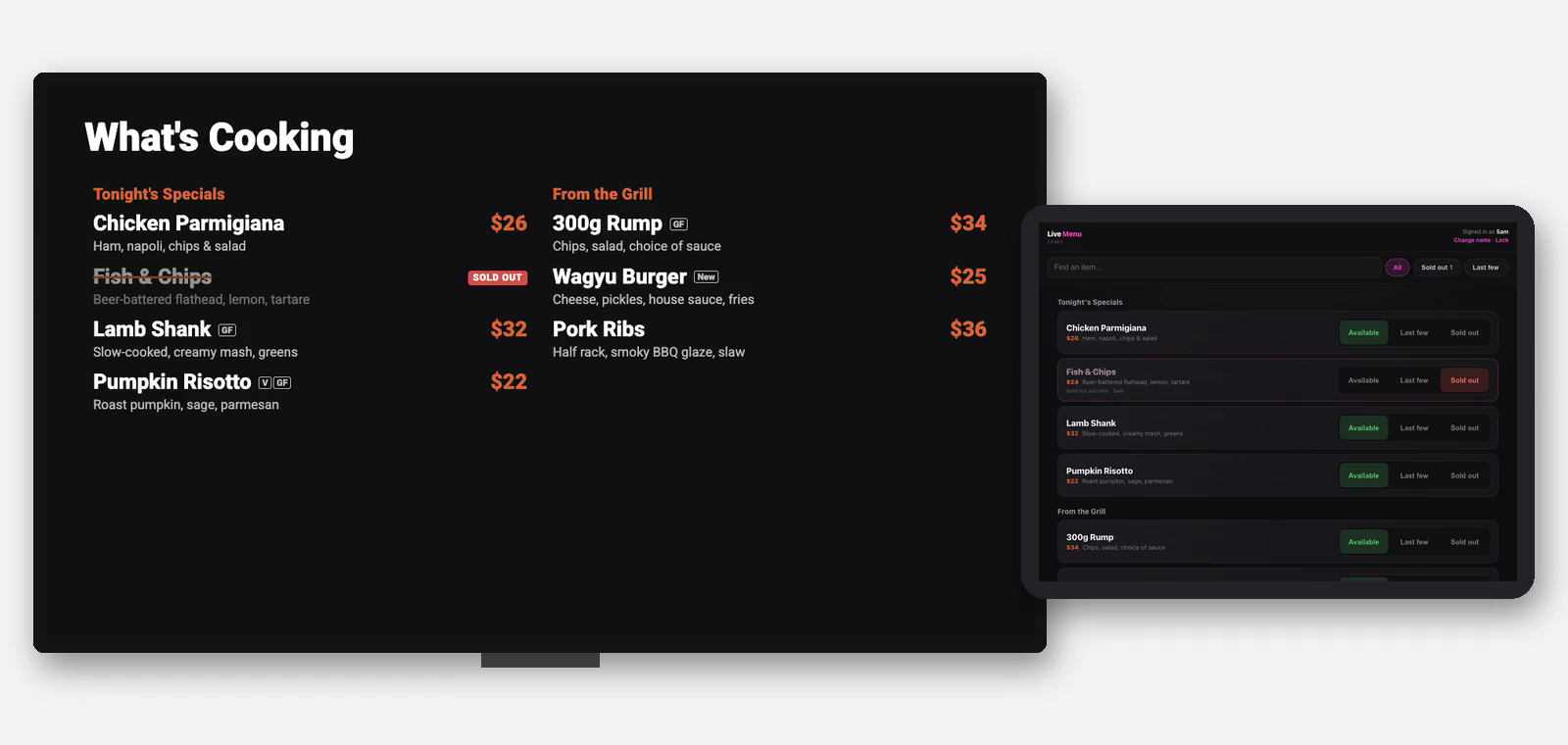
How Live Menu works
The whole idea in 30 seconds.
3 steps
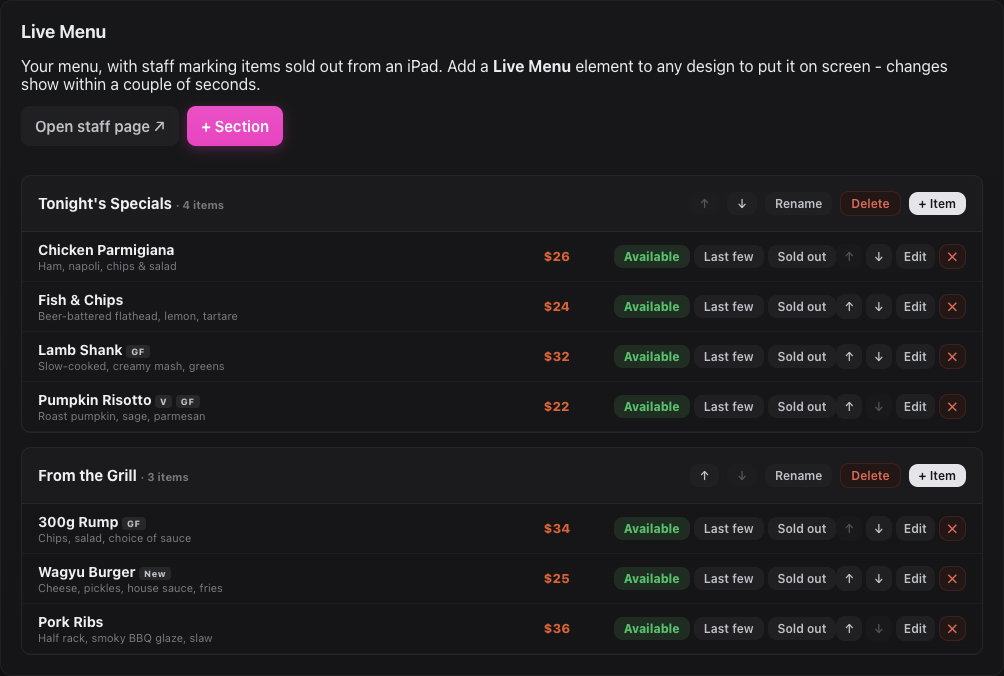
Build your menu
Add your sections and dishes once in the Signage dashboard.
4 steps
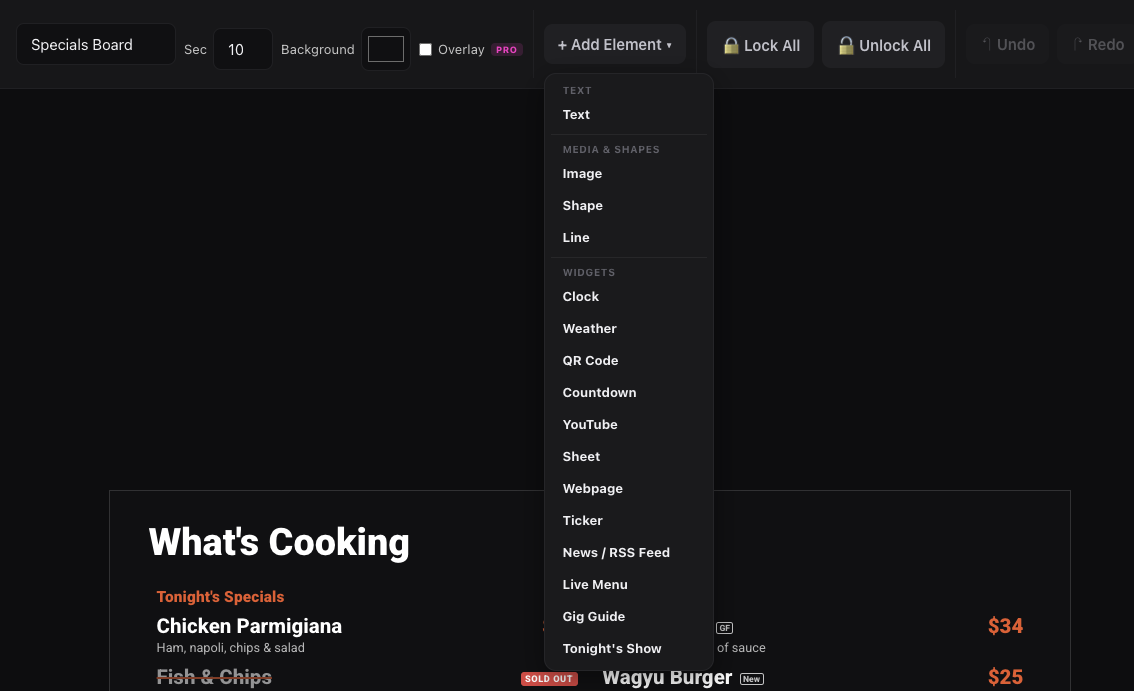
Put the menu on a screen
Add a Live Menu element to any design and style it to match your venue.
5 steps
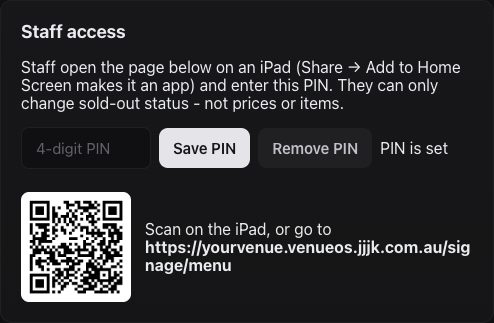
Set up the staff iPad
Give staff a one-tap way to mark dishes sold out.
4 steps
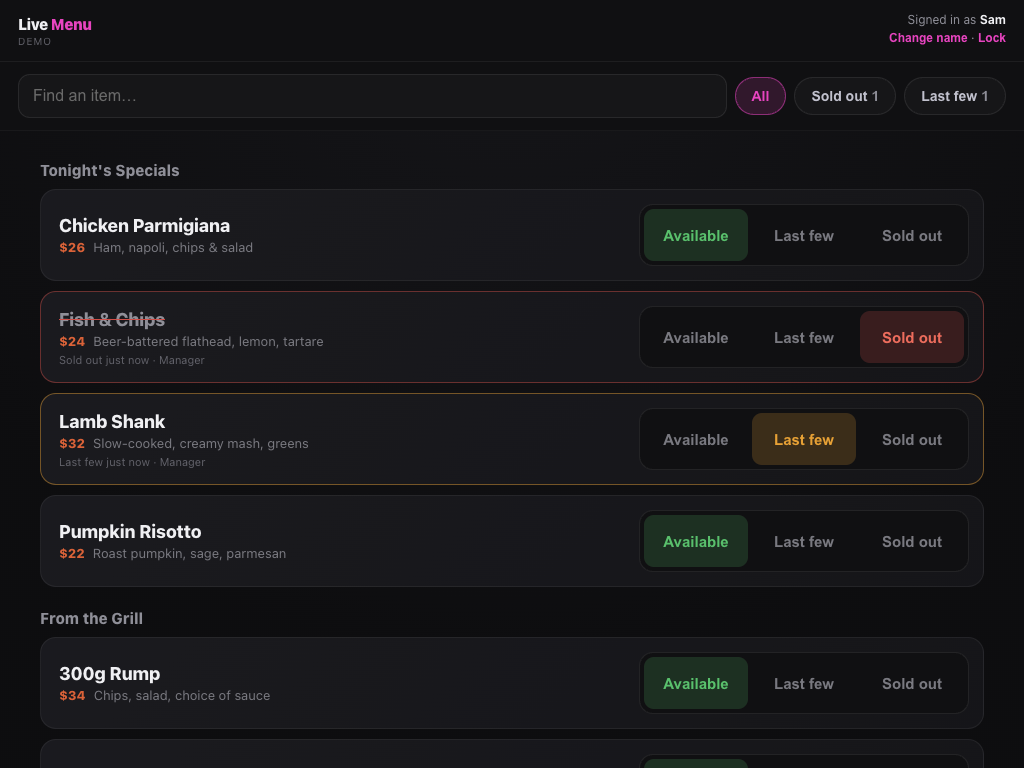
Mark dishes sold out during service
Keep the boards honest while the kitchen's running.
3 steps
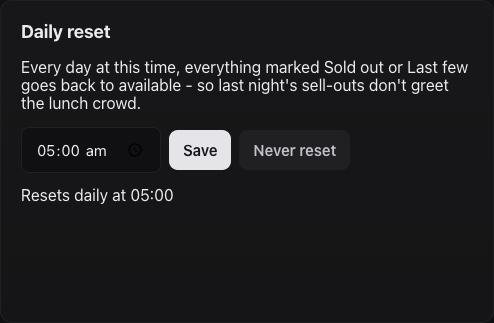
Daily reset and change log
Start every service with a clean board, and see who changed what.
4 steps
Good to know
- Live Menu is an add-on. If there's no Live Menu tab in Signage, ask JJJK to switch it on for your venue.
- Menu edits are instant. Adding or changing a dish shows on the boards straight away — you only Push when you change the design itself.
- Staff can't touch prices. The iPad page only changes Available / Last few / Sold out.
- One Refresh the first time. A screen that was running before Live Menu was added needs one Refresh from the Screens tab.
Where to find it
/signage/menuStaff page for the iPad (PIN)/signage/controlLive Menu tab: dishes, PIN, daily reset, change logStill stuck?Send us a ticket and the JJJK team will get back to you.
Submit a ticket