
Build your menu
Add your sections and dishes once in the Signage dashboard.
Open the Live Menu tab
In
Signage, clickLive Menuin the sidebar. If it's not there, the add-on isn't switched on for your venue yet — ask JJJK.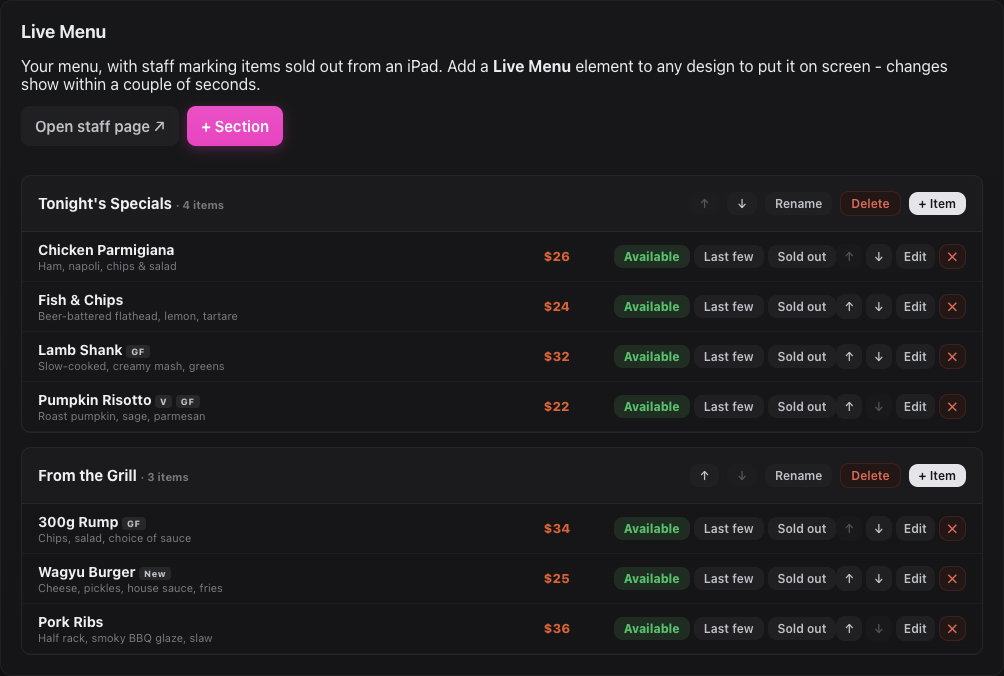
The Live Menu tab with two sections. Add sections
Click
+ Sectionfor each group, like Tonight's Specials or From the Grill. Use the arrows to put them in order. Headings show on screen exactly as you type them.Add dishes
Click
+ Itemon a section and fill in the name, price, a short description and any tags (GF, V, VG, DF, NF, Spicy, New).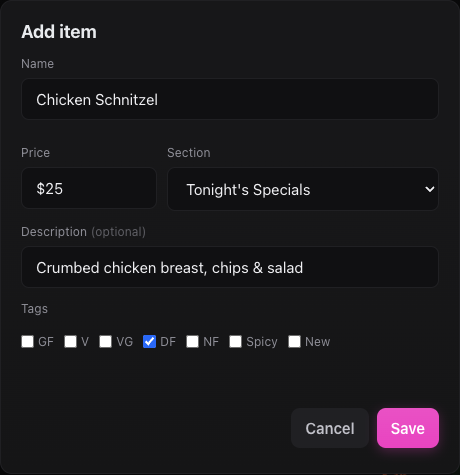
Adding a dish. Edit any time
Use
Edit, the arrows or ✕ on a dish. Menu changes reach the boards straight away — you don't need to Push.
Still stuck?Send us a ticket and the JJJK team will get back to you.
Submit a ticket