
Daily reset and change log
Start every service with a clean board, and see who changed what.
Automatic reset
Every day at the
Daily resettime (5:00am unless you change it), every dish goes back to Available. Change the time and clickSave, or clickNever resetto clear things yourself.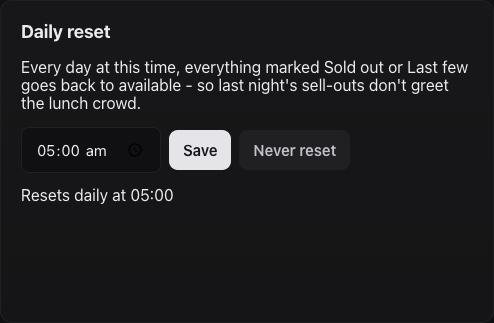
Daily reset setting. See who changed what
Recent changeson the Live Menu tab lists every change with the time and the staff member's name.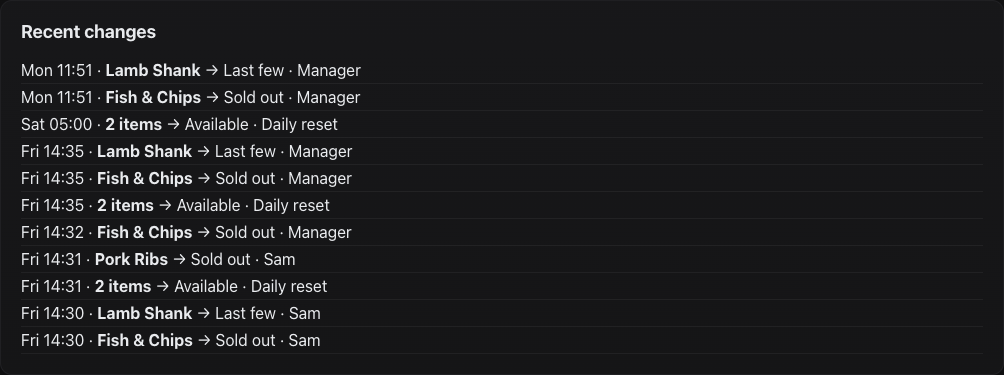
The change log. Managers can change status too
The
Available / Last few / Sold outbuttons on each dish in the Live Menu tab work the same as the iPad.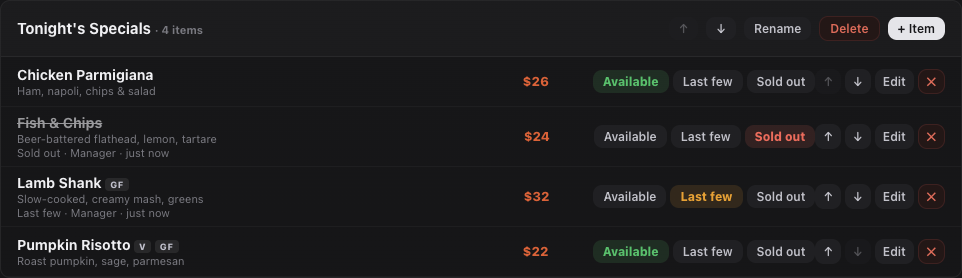
Status buttons in the dashboard. Change the PIN
Saving a new PIN signs every iPad out — handy when staff leave.
Still stuck?Send us a ticket and the JJJK team will get back to you.
Submit a ticket