
Pro Screens
Synced Screens
Make a row of screens change slide at exactly the same moment.
Put the screens in a group
In
Groups, create a group (e.g. "Bar TVs") and add every screen that should move together.Give them the same playlist
Use
Default playlist for every screen hereto set them all at once. Screens on different playlists also line up, as long as the slide times match.Tick Sync playback
On the group's page. The note next to it tells you how many of the screens are actually in sync.
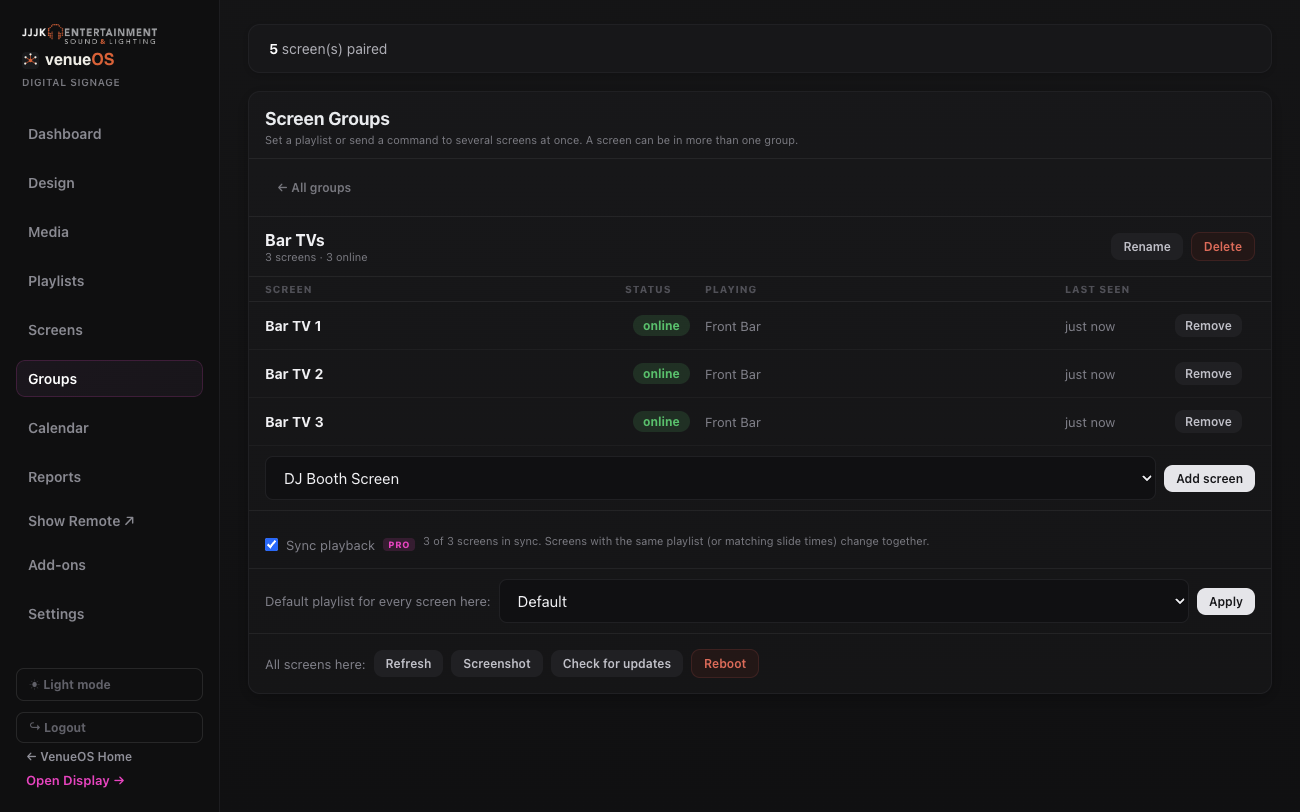
A group with Sync playback ticked. Refresh the screens the first time
Send
Refreshto the group so every screen loads the sync-capable player.Watch them change together
Each screen works out where the group is from a shared clock, so a screen that's rebooted rejoins in step on its own. Videos stay locked together too.
Good to know: Only Pro Screens without a zone layout sync - the group page lists any that won't. Android displays need VenueOS Player 1.9.3 or newer (use Check for Update).
Still stuck?Send us a ticket and the JJJK team will get back to you.
Submit a ticket